
Release with
complete clarity.
Everything your release team needs—risks, milestones, blockers, actions, and more. All in one intelligent workspace.
- No Credit Card
- Setup in Minutes
- Read-Focused by Default


The problem
Your release lives in six
different places.
Tickets in Jira. Blockers in Slack threads. Milestones in a spreadsheet someone forgot to update. By the time you find out something's stuck, it's already late.

Jira Board
22 tickets, 5 unassigned

Slack Thread
Any update on the API blocker?

Spreadsheet
Milestone dates last edited 8d ago

Standup Notes
We think QA starts next week?

Unified view

Matico Collection
- Status
- In Review
- Active Blockers
- 0 Detected
- Delivery Plan
- On Track
How it works
From scattered tickets to one clear plan — in four steps.
Setting up a Collection takes less time than the standup you're trying to replace.
- 01
Create a Collection
Start a workspace for a release, sprint, or delivery initiative in under a minute.
- 02
Bring in tickets & owners
Connect Jira, pull in scope, assign owners, and set your release phases.
- 03
Let Matico watch for risk
Blockers, overdue work, and ownership gaps surface automatically.
- 04
Act — don't just report
Nudge owners, update the plan, and move the release forward.
Everything, in one workspace
Everything a release needs.
Nothing it doesn't.

Create a Collection
Start a workspace for a release, sprint, or delivery initiative in under a minute.

Auto Briefing
Plain-language risk summaries, generated on demand.

Delivery Plans
Milestones, owners, dependencies, and dates in one plan.

Action Items
Follow-ups that don't die in a meeting doc.

Workflow Phases
Planning → Development → QA → UAT → Staging → Production → Completed.

Team Ownership
Know exactly who owns what, at a glance.


What Matico does
The coordination work your team does manually. Matico handles it.
Every release, sprint, or initiative — one single source of truth.
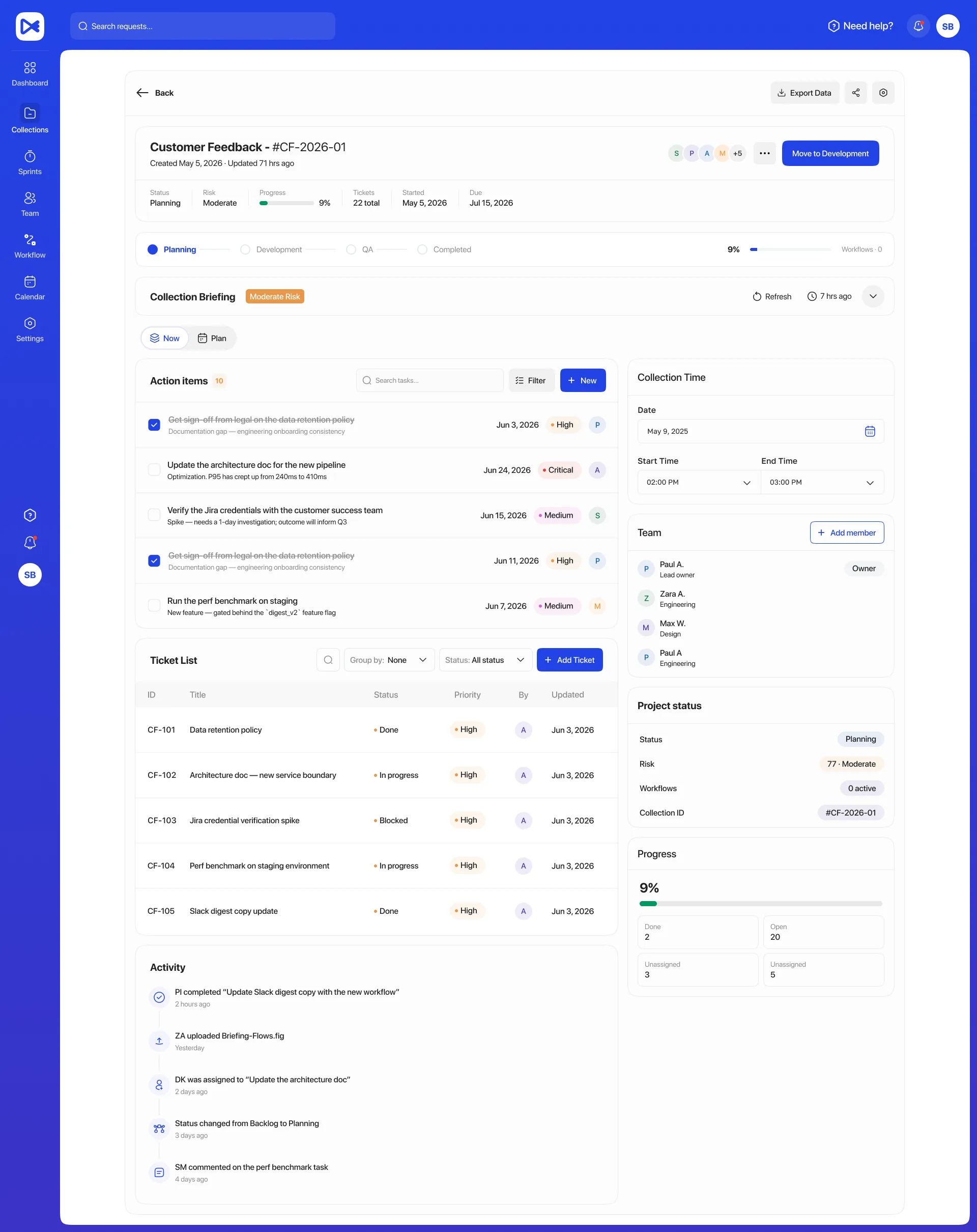
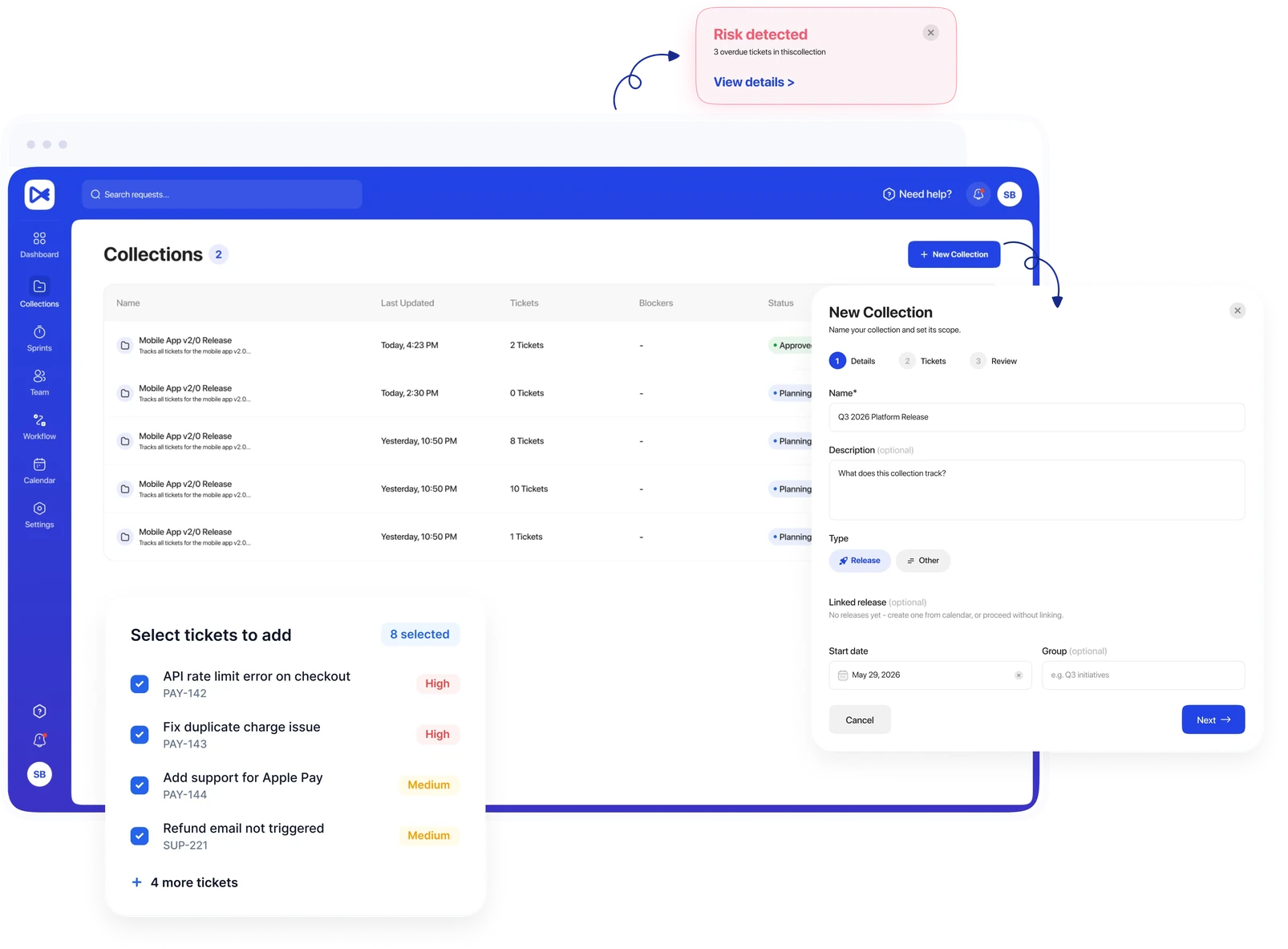
A Collection holds everything tied to a release: status, risk, progress, every ticket, the briefing, action items, the delivery plan, the team, and the full activity history.
- Live status, risk level, and % progress at a glance
- Full ticket list synced from Jira
- Blockers and ticket counts visible from the list view
- One click into the full delivery plan and team

Risk explained in plain language — not a dashboard you have to interpret.
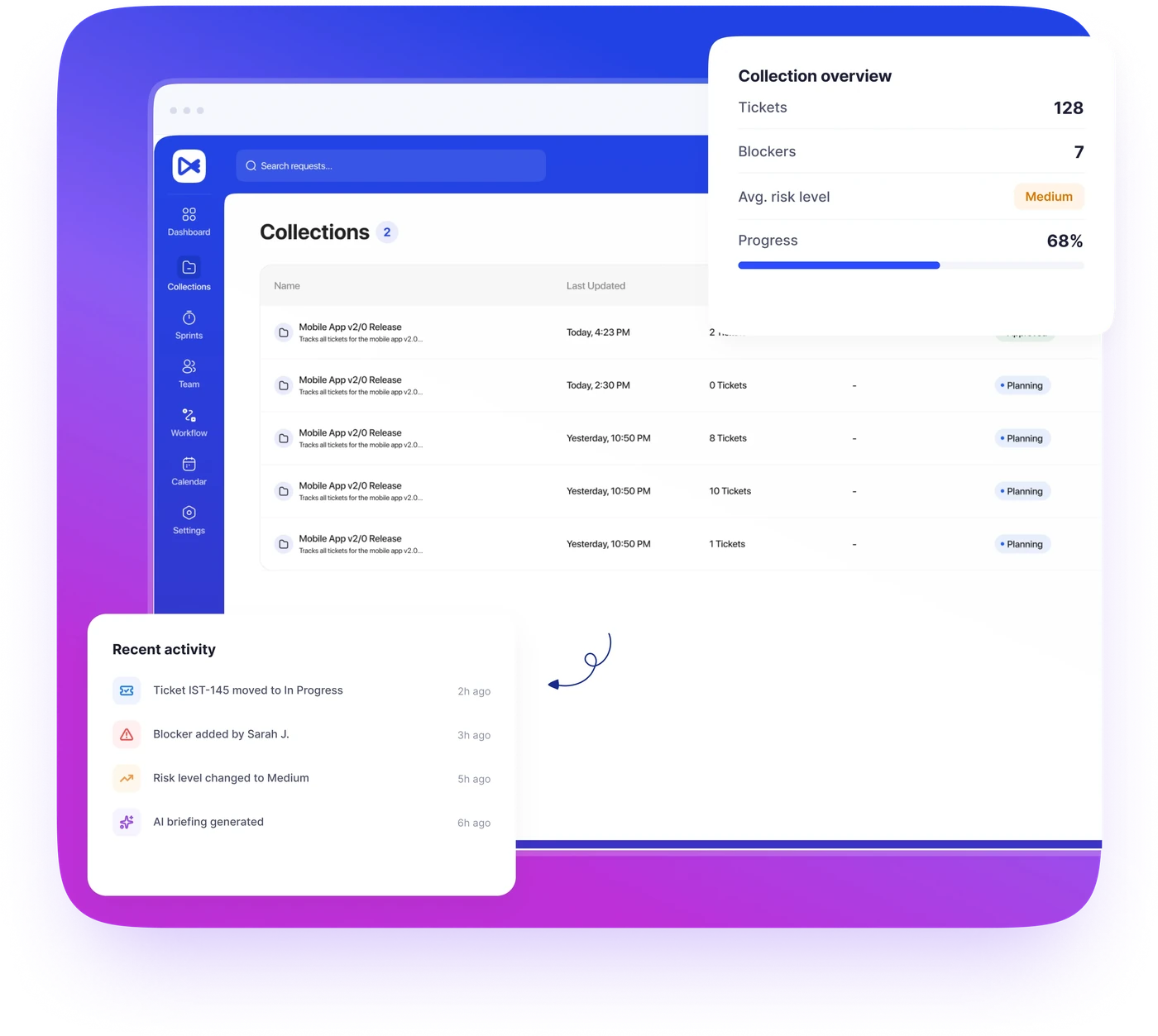
Matico doesn't just show you numbers — it tells you what they mean and what to do next. Every briefing is generated from the real state of your tickets, owners, and dates, and regenerates in one click as things change.
- Risk scoring from blockers, overdue work & ownership gaps
- Plain-language explanation — no charts to decode
- A suggested next action, not just a red flag
- Refreshed on demand from live ticket state

Milestones, owners, and dependencies — one plan everyone can see.
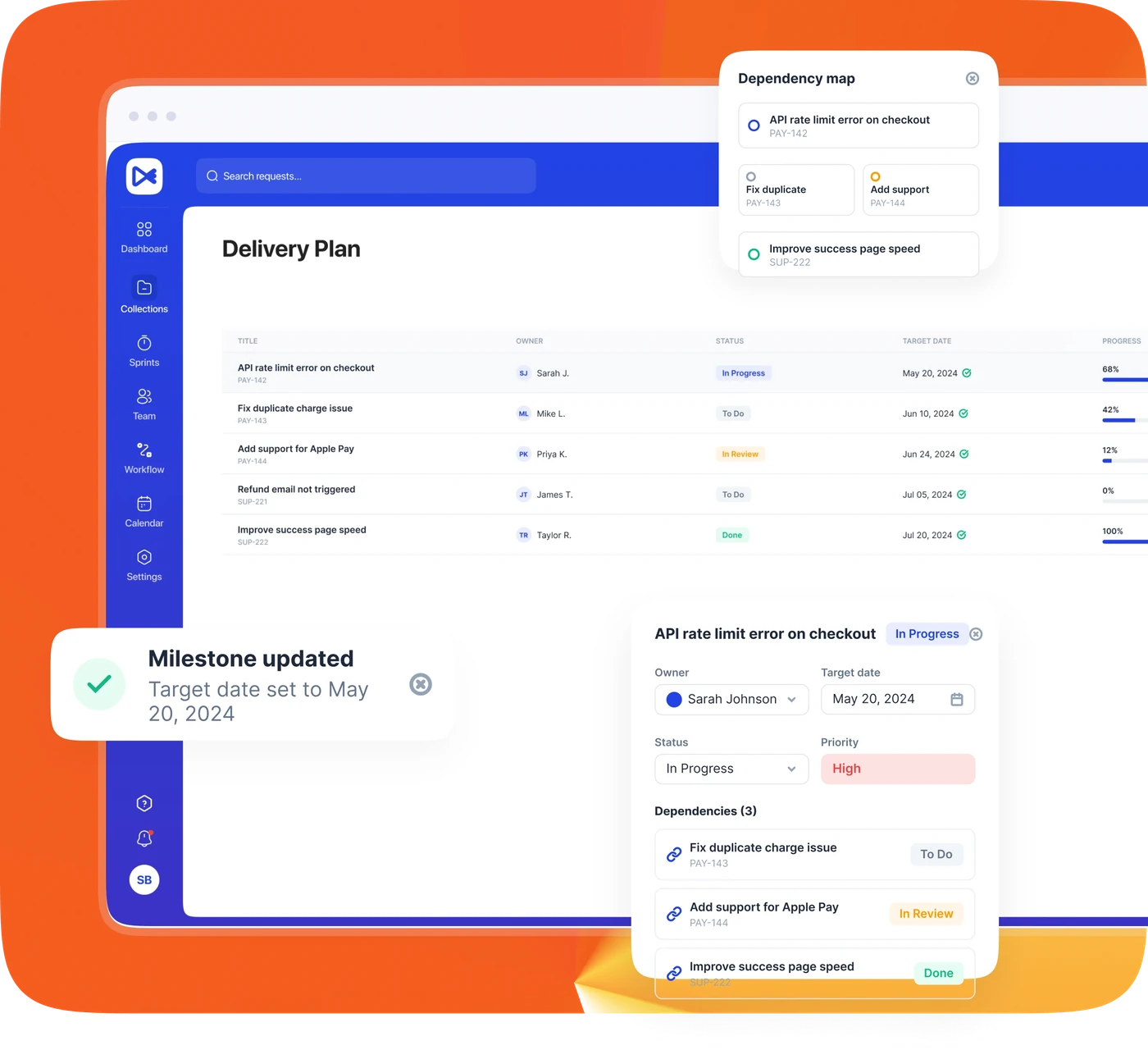
Set a milestone, assign an owner, and link it to what it depends on. Matico shows target dates against actual dates side by side, so "on track" is a fact, not a guess from standup.
- Status at a glance: Done, On track, or At risk
- Dependency mapping before it becomes a surprise
- Target date vs. actual date, side by side
"This collection is at moderate risk. Missing ownership on 5 tickets is the primary concern, and 3 tickets have passed their due date. Resolving both would meaningfully improve delivery confidence."
— GENERATED FROM YOUR LIVE COLLECTION STATE
Integrations
Works with the tools your
team already lives in.
Matico doesn't ask you to abandon Jira or move conversations out of Slack. It sits on top of both.
Jira sync
Connect with OAuth and pick which projects are in scope. Ticket status, assignees, and sprints flow into Matico via Jira webhooks — reads by default, with write-backs only when you take an explicit action.
OAuth 2.0 · project-scopedSlack nudges
Nudge a ticket's owner straight to their Slack DM, linked back to the ticket in Jira. Assign an action item and its owner gets a heads-up automatically.
Contextual, not another channel to watchBefore vs after
Less chasing. More shipping.
The same week, before and after Matico.
Moment
Before Matico
With Matico
Finding what's stuck
BeforeAsk around in Slack, hope someone remembers

Collection briefing surfaces overdue & unassigned at a glance
Status updates
BeforeManual weekly report, already stale by Friday
Live collection health, refreshed on demand
Tracking a blocker
BeforeBuried in a thread, no owner, no expected date
Logged with a chaser and expected unblock date
Milestone slippage
BeforeDiscovered at the release review, too late to fix
Dependent dates recalculate the moment an upstream milestone moves
Security & Control
You control exactly what Matico can see and do.
Matico connects to Jira using standard OAuth 2.0 — you choose which projects are in scope. Access is read-focused by default; anything that writes back to Jira or sends a Slack notification happens only from an explicit, user-triggered action.
- Selected project access — connect only what you choose
- OAuth 2.0 for Jira — no passwords or API tokens shared
- Read-focused visibility by default
- Explicit, user-controlled write & notification actions
Connected projects
- Mobile App v2.0
- Customer Feedback
- Internal Tools
- Marketing Site
Matico is currently in private beta.
We're onboarding a small number of engineering and product teams directly, with hands-on setup and support through your first release.
No credit card. No sales call required to get started.
Questions, answered.
Matico connects to JIRA via OAuth 2.0, scoped only to the projects you choose to sync. Access is read-focused: Matico won't write to Jira or send a Slack notification unless you take an explicit action that does so. OAuth tokens are encrypted at rest (AES-256-GCM) and all traffic is over TLS.